







Free Online Sand Timer with a Calm Hourglass
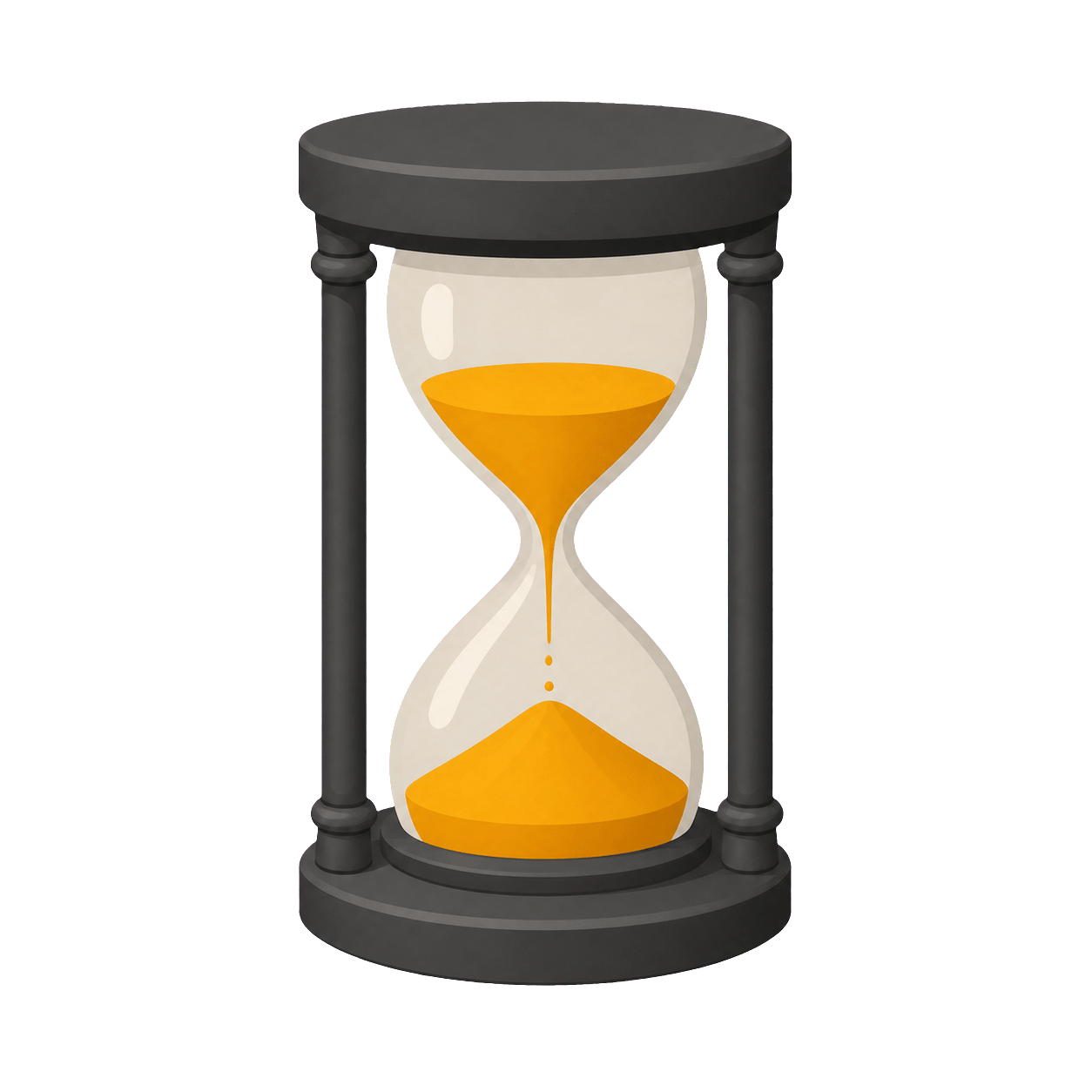
This free online Sand Timer combines a familiar hourglass with a large, accurate digital countdown. Choose one, three, five, or ten minutes, or set a custom duration for another lesson, study session, break, game, or home routine. Press Start and the upper chamber gradually empties while the lower chamber fills, allowing someone to understand general progress without reading every second. The Sand Timer runs in a modern browser without registration, installation, or an app download and can open full screen for a projector, interactive whiteboard, tablet, or spare monitor.
The hourglass is a visual model rather than a claim about physical grains. Its fill levels are calculated from the same remaining-time ratio as the numeric display, so Pause, Resume, and Reset keep both representations aligned. The Sand Timer deliberately avoids a dramatic final countdown: it offers a low-stimulation way to mark time while the digits remain available whenever precision matters. At zero, the sand has transferred to the lower chamber, the page enters a clear finished state, and one short alert can signal the next step.
Maintained by the ClassroomTimers team ·
How does the Sand Timer represent progress?
The Sand Timer turns the countdown ratio into an easy top-to-bottom movement. Because the hourglass and digits share one time source, the illustration remains a dependable overview even after the browser has been in the background or the activity has been paused.
Sand remaining above
At the start, most sand is visible in the upper chamber. As the Sand Timer runs, that amount falls in proportion to remaining time, providing a quick answer to whether the activity is near its beginning, midpoint, or end.
Elapsed time below
The lower chamber fills as time is used. This paired movement makes progress understandable without color coding and helps learners see that the task is advancing even when the exact digits are not their main focus.
Exact digits stay visible
The Sand Timer never asks users to calculate minutes from the illustration. Large tabular numbers remain beside the hourglass, while the completed state and short finish alert make zero clear on muted or visually busy screens.
How to use the Sand Timer
The Sand Timer is designed to start quickly while keeping every important control visible. You can prepare the duration before an activity, start only after instructions are clear, pause without losing the remaining time, and reset for another group. The exact numeric countdown and the themed visual always refer to the same clock, so the display remains understandable even when someone looks up only occasionally.
- 1Choose a preset that matches the task, or use the custom time control to set exact hours, minutes, and seconds. Check the large display before starting the Sand Timer so the full selected duration belongs to the activity rather than to setup or explanation.
- 2Press Start or use the Space key when no form field is focused. The Sand Timer records an absolute finish time instead of subtracting one second per animation frame, which helps the countdown stay accurate when a browser briefly slows visual updates.
- 3Use the themed picture for a quick sense of progress and the large tabular digits for precise remaining time. Pause the Sand Timer if the group needs clarification or the task must stop; both the number and the visual state freeze together.
- 4Press Resume to continue from the paused point, or Reset to return to the chosen duration. Full screen is useful when the Sand Timer is shown on a projector, interactive whiteboard, television, or another shared display across a room.
How do I use a Sand Timer in the classroom?
A classroom Sand Timer is well suited to silent reading, handwriting, independent practice, assessment sections, reflection, calm-down breaks, and individual learning stations. The familiar hourglass communicates movement without turning every task into a competition. Explain the expected outcome, start the countdown after instructions, and place it where students can check progress without shifting attention away from their books, materials, or conversation.
Teachers can also use the Sand Timer to make transitions more predictable. A one-minute setting can mark a final check, three minutes can support tidying, and five or ten minutes can frame a focused task. Pause when the class needs clarification rather than letting time expire during instructions. For a more energetic game use Bomb or Popcorn; for phased work and wrap-up use Traffic Light. Choosing the visual to match the activity keeps timing supportive.
Sand countdowns for focus, breaks, and daily routines
The Sand Timer can support meditation, breathing practice, journaling, stretching, homework, music practice, board-game turns, and household routines. Its quiet visual is useful when a ticking clock or dramatic animation would be distracting. Set a realistic duration, state what a comfortable finish looks like, and allow the hourglass to provide background structure while the exact display remains available for anyone who wants a precise check.
In meetings or workshops, a Sand Timer can define individual thinking, note-taking, pair discussion, feedback, or a short break. Everyone sees the same boundary without a facilitator announcing each minute. Reset between groups to preserve equal turns and use full screen when the timer must be visible across a room. The illustration gives a broad sense of progress; the digits make handoffs and stopping points consistent.
Which Sand Timer duration should I choose?
A useful Sand Timer gives enough room to complete the task safely and thoughtfully. Start with a preset when it fits, or choose custom time for an exact routine rather than forcing the activity into an unsuitable length.
1–3 minutes
Use a short hourglass for breathing, collecting materials, a final review, a game turn, or a quick transition. Keep directions simple and start only after everyone understands the intended action.
5–10 minutes
This range works for reading, writing, retrieval practice, discussion preparation, station tasks, and quiet breaks. The sand shows steady movement without adding a high-pressure final warning.
Long custom sessions
Set a longer Sand Timer for sustained study, creative work, workshops, or independent projects. Add planned breaks and use the numeric countdown when a precise checkpoint or finish time is important.
Are Sand Timer controls readable and accessible?
The Sand Timer does not require anyone to interpret color or animation alone. Large tabular digits provide the exact remaining time, text identifies the finish state, and labeled buttons support pointer and keyboard use. Space starts, pauses, or resumes when a text control is not focused, while R resets the current countdown. Visible focus styles help keyboard users track the active control, and the layout keeps the central timer readable on phones, tablets, laptops, and projected screens.
The themed illustration is supplementary information. If a learner cannot perceive the visual change, the same countdown remains available through its numbers and status text. Devices that request reduced motion receive simpler decorative movement while meaningful progress still updates. Before a shared session, choose a comfortable screen position, test browser zoom, and check that the Sand Timer can be seen without asking participants to stare continuously at the animation.
How should I use the Sand Timer as a supportive time cue?
A visible deadline works best when people know what they are expected to complete and what will happen at zero. State one clear outcome, allow a reasonable stopping point, and pause when an unexpected question or safety issue interrupts the activity. The Sand Timer should reduce repeated reminders and make time easier to understand; it should not pressure learners to read, write, move, cook, or handle equipment faster than is appropriate.
Use the theme selectively so it continues to carry meaning. Some groups enjoy a bright or familiar visual, while others focus better with a quieter option from the Fun Timers collection. Keep the exact digits visible, pair the finish with a calm spoken next step, and let the Sand Timer support the routine rather than become the activity itself. Consistent Start, Pause, Resume, Reset, preset, custom-time, and full-screen controls make it easy to change visual style without teaching a new workflow.